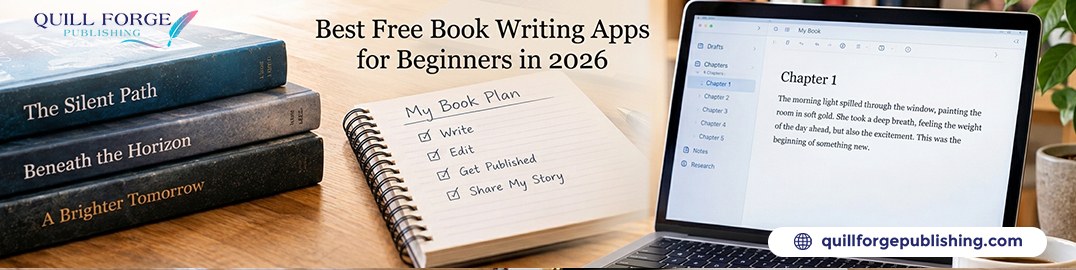
Choosing the Right Free Book Writing Software Before You Start
The tool you write matters more than most beginners think. It does not change the quality of your prose, but the wrong book writing software can slow you down, scatter your drafts, or create formatting headaches when it is time to publish. Getting this right at the start saves hours later.
Free writing apps for beginners have improved dramatically. Several genuinely professional tools are now available at no cost, and choosing between them depends on your writing style, your device, and how you plan to eventually hand off your manuscript for editing and publishing.
Your options range from simple word processors (Google Docs, Microsoft Word) to dedicated apps for writing a book with chapter organisation and project management built in (Scrivener, Atticus, Reedsy). Most have a free version worth starting with. Once your manuscript is complete, Quill Forge Publishing takes it from raw draft to published book through our book publishing services, with professional editing, design, and distribution. Call +1 (512) 380-1661 for a free consultation.
What Should the Best Writing Apps for Authors Actually Do?
Before looking at specific tools, it is worth understanding what a purpose built writing app does that a standard word processor does not.
-
Chapter and scene organisation. Long form writing benefits from a sidebar that shows your full structure (chapters, scenes, notes) without scrolling through a single enormous document.
-
Draft versioning. The ability to keep multiple drafts of a chapter and compare them without overwriting.
-
Focus mode. A distraction free writing environment that hides toolbars, menus, and notifications.
-
Export to multiple formats. Your manuscript needs to reach your editor (Word format), your formatter (Word or InDesign), and potentially KDP or Reedsy’s formatter. If you plan to publish on Amazon, it helps to know how to format your book for Amazon KDP before you pick a tool.
-
Cloud sync and cross device access. Writing on phone, tablet, and desktop interchangeably requires real time sync.
Not every writer needs all of these. Some authors write 80,000 words in Google Docs and have no complaints. Others find that the structure and organisation of a dedicated app doubles their productivity. Know your working style before committing to a tool.
What Are the Best Free Book Writing Apps in 2026?
1. Google Docs: Best for Simplicity and Collaboration
Free, cloud native, accessible from any device, and universally compatible with editors and publishers. Free book writing software does not get simpler than Google Docs.
-
Best for: Writers who want zero learning curve, easy sharing with editors, and instant cloud backup
-
Limitations: No chapter organisation sidebar, can get unwieldy for long manuscripts, no built in distraction free mode
-
Export: .docx, .pdf, .odt, fully compatible with professional editors
-
Cost: Free
2. Reedsy Book Editor: Best Free Dedicated Writing App
Reedsy’s free browser based editor is one of the best apps for writing a book available at no cost. It organises your manuscript by chapter, has a clean distraction free interface, and exports to professionally formatted EPUB and print ready PDF directly, which is genuinely useful.
-
Best for: Writers who want structure plus a clean path to formatted output
-
Limitations: Browser only (no offline mode in the free version), limited compared to Scrivener for complex projects
-
Export: EPUB, PDF (print ready), .docx, excellent for self publishing workflows
-
Cost: Free
3. Scrivener: Best Professional Writing Tool (Free Trial Available)
Scrivener is the industry standard for long form writing. It is not free. It is a $59.99 one time purchase, but it offers a 30 day free trial (30 days of actual use, not calendar days), which is enough to write a significant portion of a first draft.
-
Best for: Writers who outline heavily, write non linearly, or are working on complex projects with research notes
-
Limitations: Learning curve, and not ideal if you want something simple
-
Export: .docx, EPUB, PDF, Final Draft, with full flexibility
-
Cost: Free 30 day trial, then $59.99
4. Notion: Best for Writers Who Plan Heavily
Notion’s free plan works well as a writing and planning environment, especially for nonfiction writers who need to organise research, outlines, and drafts in one place.
-
Best for: Nonfiction authors, outlining heavy writers, and anyone who wants a combined research and drafting workspace
-
Limitations: Not purpose built for book writing, and export to Word requires workarounds
-
Export: Markdown, PDF, which needs conversion for a professional editing workflow
-
Cost: Free for personal use
5. Atticus: Best for Writers Who Also Format Their Own Books
Atticus is a newer entrant, a writing and formatting tool in one. It is not free ($147 one time), but it is worth mentioning because it combines a writing workflow with direct ebook and print formatting output, which can save money on formatting costs later. If you would rather hand formatting off, look at affordable ebook conversion services for Kindle and Apple Books.
-
Best for: Self publishing authors who want to handle their own formatting
-
Limitations: Less mature than Scrivener, with limited outlining tools
-
Export: EPUB, PDF (print), .docx
-
Cost: $147 one time
6. LibreOffice Writer: Best Free Microsoft Word Alternative
For writers who want a desktop word processor without paying for Microsoft Office, LibreOffice Writer is a fully functional free alternative. It is less polished than Word but handles long manuscripts well and exports to .docx without issues.
-
Best for: Writers who prefer desktop software, need offline access, or cannot afford Microsoft 365
-
Limitations: Less cloud integration than Google Docs, and the UI feels dated
-
Export: .docx, .odt, .pdf, with full compatibility
-
Cost: Free
Quick Comparison: Book Writing Software at a Glance
Which Free Writing App for Beginners Is Actually the Best Starting Point?
For a complete beginner, start with Google Docs or Reedsy.
Google Docs if you want zero friction. Open a tab, start writing, and everything saves automatically. Share your draft with an editor by clicking one button.
Reedsy if you want a bit more structure: chapter organisation, a clean interface, and direct export to formatted ebooks and print PDF when you are ready.
Move to Scrivener when your projects get complex. If you are writing a series, handling multiple POV characters, or doing heavy research that needs to live alongside your draft, the 30 day trial is genuinely useful.
The tool you will actually use is the right tool. Do not spend a week evaluating writing apps when you should be writing. If you struggle to stay consistent or finish your draft, book coaching can give you the structure and accountability that no app can.
What Happens After You Finish Writing?
Your writing app gets you to a complete draft. After that, the publishing process begins, and that is where professional services make the difference between a book that looks self published and one that competes on equal footing with traditionally published titles. Start with this first draft checklist to plan your next steps.
-
Developmental editing to strengthen structure and argument, plus copyediting and proofreading to eliminate errors, through our book editing services
-
Professional book cover design that sells your book on the shelf and in search results
-
Interior formatting for print and ebook editions
-
Global book distribution through Amazon KDP and IngramSpark
Quill Forge Publishing handles every step from polished draft to published book, with full rights retention and high royalties for every author we work with.
Phone: +1 (512) 380-1661
Email: info@quillforgepublishing.com
Website: quillforgepublishing.com
Address: 5900 Balcones Drive, STE 30493, Austin, TX 78731
Frequently Asked Questions
Q: What is the best free book writing app in 2026?
For most beginners, Google Docs and Reedsy Book Editor are the best free book writing apps in 2026. Google Docs wins on simplicity and collaboration. Reedsy wins on structure and formatted export. Both are genuinely free with no paywalled features that matter for drafting.
Q: Is Scrivener worth paying for?
For complex projects, especially fiction with multiple characters and storylines, or nonfiction with heavy research, yes. The 30 day free trial of this book writing software is enough to judge whether it fits your workflow before committing to the $59.99 purchase.
Q: What writing app do professional authors use?
Professional authors use a range, from Microsoft Word and Google Docs to Scrivener and Atticus. There is no single industry standard. The best writing apps for authors vary by genre and workflow. Many traditionally published authors write in Word, while many self published authors prefer Scrivener.
Q: Can I write a book on my phone?
Yes. Google Docs, Notion, and several dedicated apps for writing a book have mobile apps that sync in real time. The drafting experience is better on a tablet with a keyboard, but for capturing scenes and notes, a phone works fine.
Q: What format should I save my manuscript in for a publisher or editor?
Always export to .docx (Microsoft Word format) for editorial work. Every editor, publisher, and formatting service works with .docx as the standard. All the free writing software listed here can export to .docx.
Q: Does Quill Forge Publishing accept manuscripts written in any app?
Yes. We work with manuscripts in .docx, .pages, Google Docs, or plain text, and we will handle the formatting. Write in whatever software suits you best, then learn how to publish a book in 7 simple steps. Call +1 (512) 380-1661 when your draft is ready.